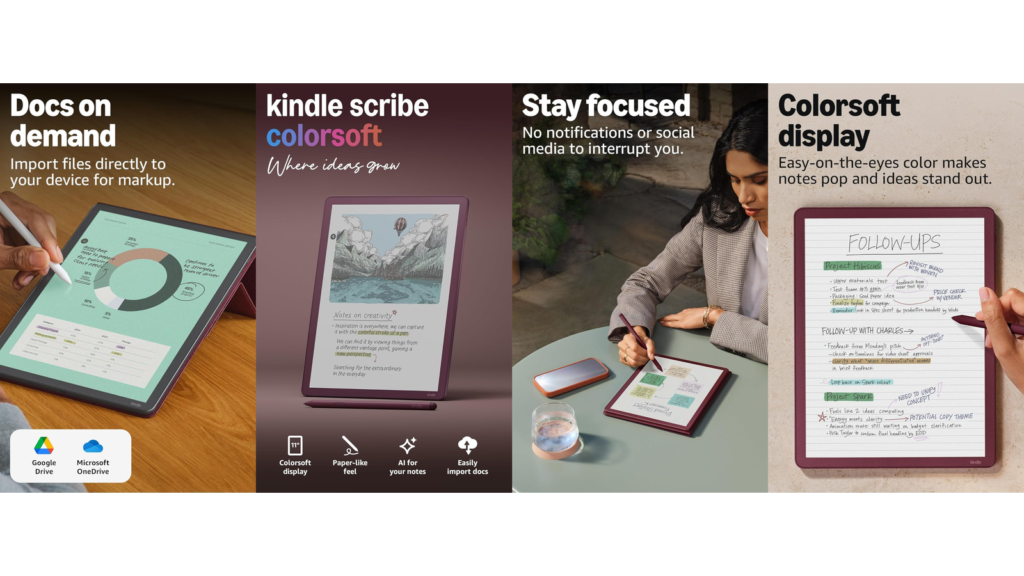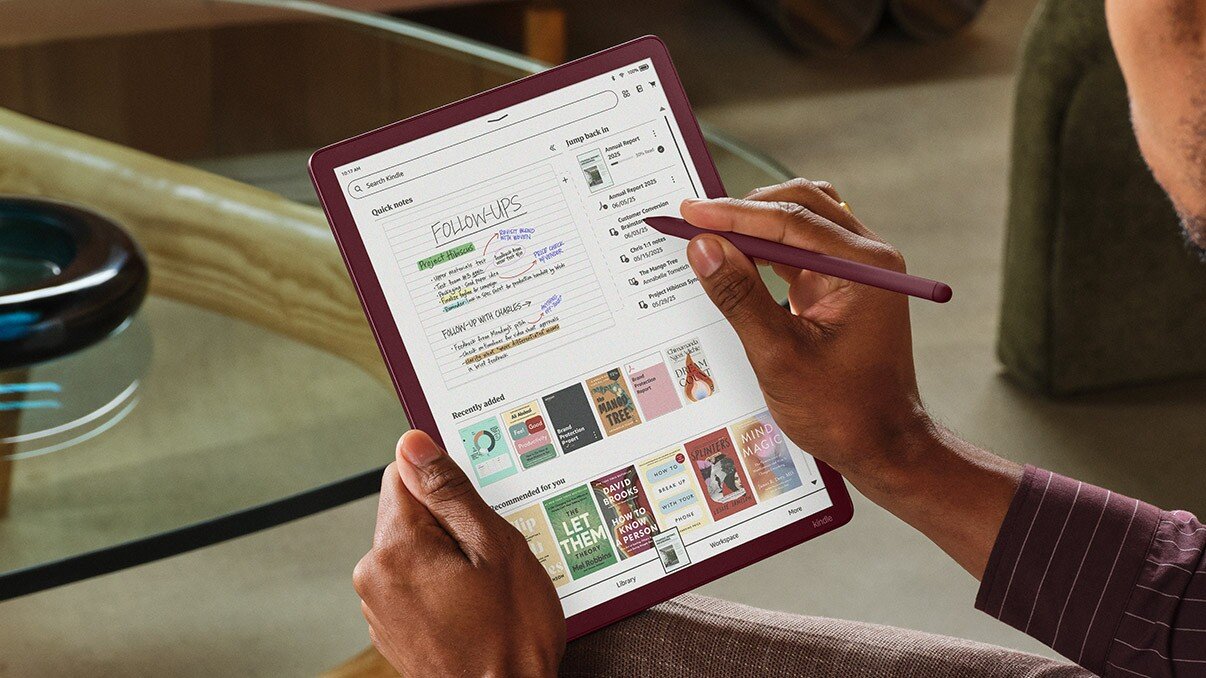
Amazon has revolutionized digital note-taking with the Kindle Scribe Colorsoft, featuring an 11-inch Colorsoft display with front light, built-in notebook, and AI tools. Released in late 2025, this is Amazon’s most advanced Kindle yet and the first Scribe model to bring color to your reading and writing experience.
CHECK CURRENT PRICE ON AMAZON →
What Makes the Kindle Scribe Colorsoft Special?
Revolutionary Color Display
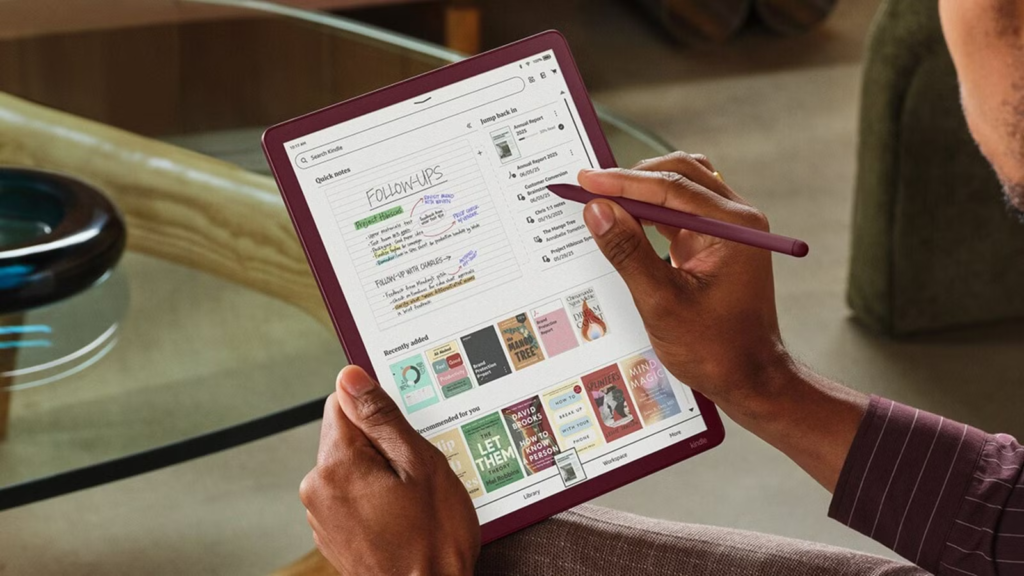
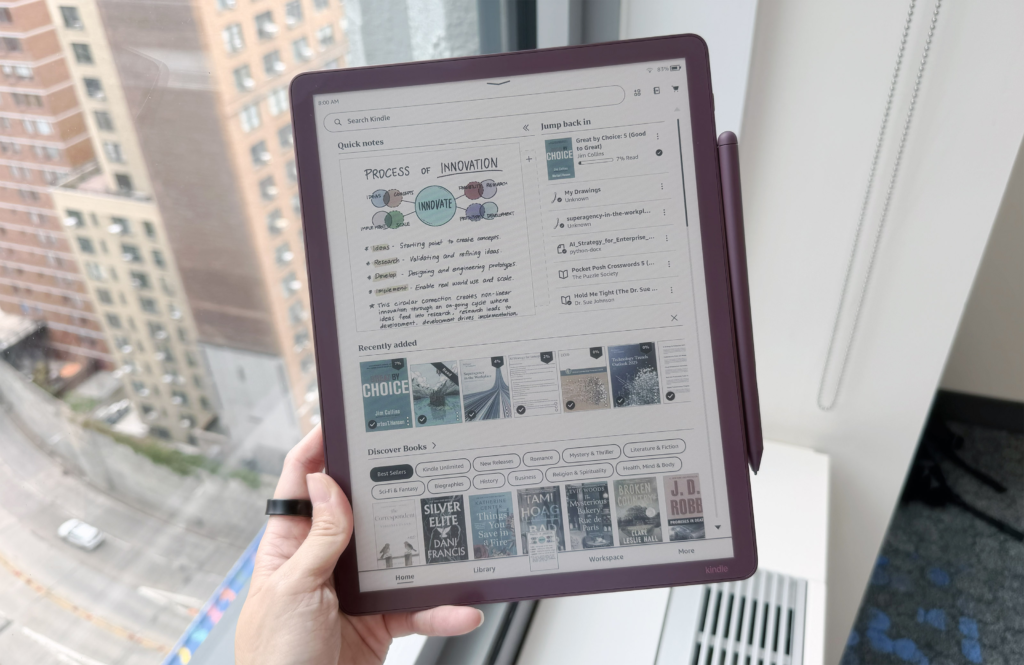
The Colorsoft uses custom-built Colorsoft display technology with a color filter and light guide using nitride LEDs to enhance color without washing out details. Unlike LCD screens that strain your eyes, this E Ink display reflects light naturally—just like paper.
Key Display Features:
- 11-inch Colorsoft display (up from 10.2 inches on previous models)
- 300 PPI resolution for black and white, 150 PPI for color
- Custom oxide-based display delivering high-contrast, paper-like color easy on the eyes
- Adjustable front light with nitride LEDs for superior brightness
- Two display modes: Standard and Vivid
Premium Design & Performance
The device is ultra-thin at just 5.4mm and ultra-light at 400 grams, with 40% faster performance for writing and page turns. The slim profile makes it incredibly portable, though some reviewers note the reduced bezels require more careful handling.
GET THE KINDLE SCRIBE COLORSOFT TODAY →
Who Should Buy the Kindle Scribe Colorsoft?
Perfect For:
Digital Planners & Organizers Transform your productivity with 10 pen colors, 5 highlighters, and a shader tool for subtle gradients and overlays. Color-code your tasks, appointments, and priorities for instant visual organization.
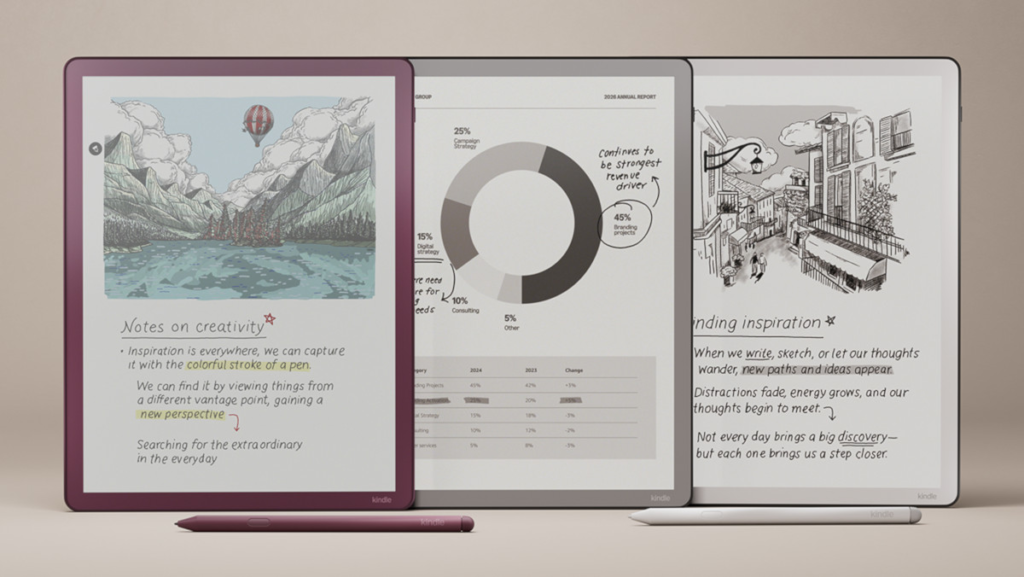
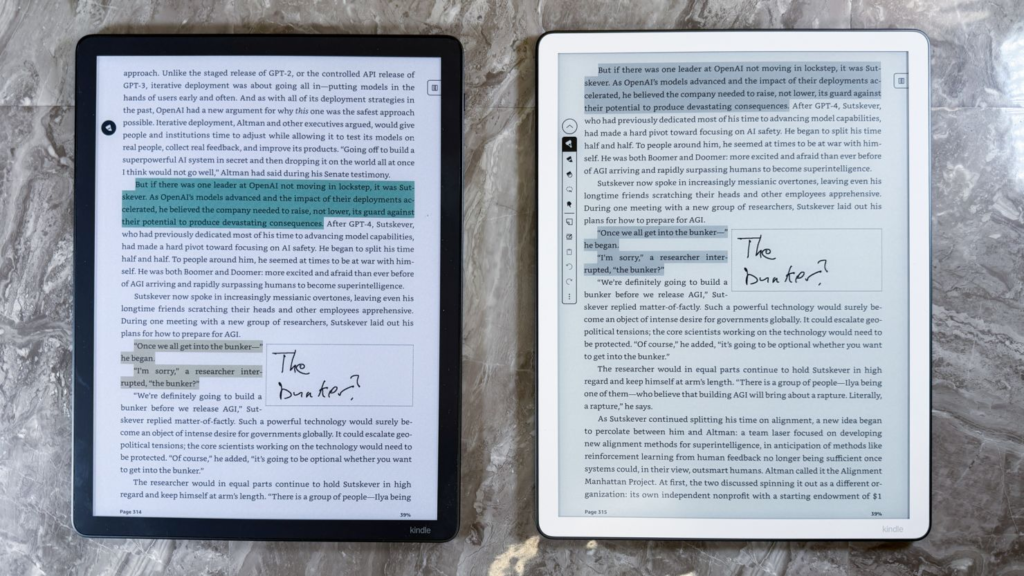
Students & Researchers Use five highlight colors (yellow, green, aqua, pink, and orange) to make different kinds of annotations, then filter highlights by color later. This makes reviewing study materials incredibly efficient.
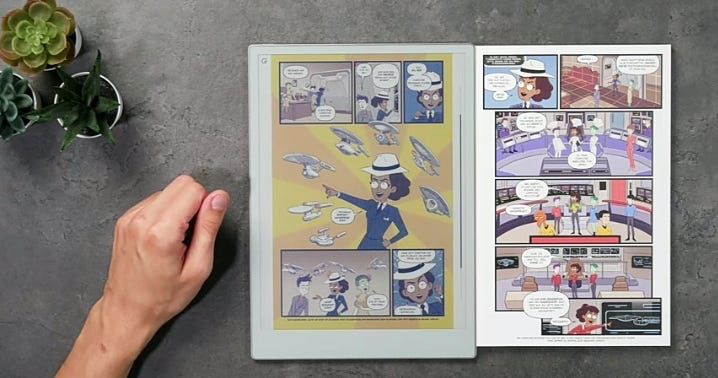
Comic Book & Graphic Novel Readers Comic book covers and pages come to life on the Colorsoft better than other E Ink screens, with bolder colors and better gradients.
Creative Professionals The new shader tool allows artists to create smooth gradients and subtle tones, giving depth and richness to sketches and artwork.
Skip It If:
- You primarily read text-only novels (the standard black-and-white Scribe offers better battery life)
- You need waterproofing (unlike the Paperwhite, the Scribe Colorsoft isn’t water-resistant)
- Budget is a major concern ( this is a premium device)
COMPARE KINDLE MODELS & PRICES →
Game-Changing Features
AI-Powered Productivity
The Scribe Colorsoft includes powerful AI tools to maximize your productivity:
- AI Search: Find information even without exact keywords, and ask questions about your notes to uncover insights
- Handwriting Recognition: Convert handwritten notes to text for easy sharing
- Smart Summaries: Generate summaries and refine your handwriting
- Coming in 2026: “Story So Far” for spoiler-free book catch-ups and “Ask This Book” for deeper understanding of passages
Active Canvas Technology
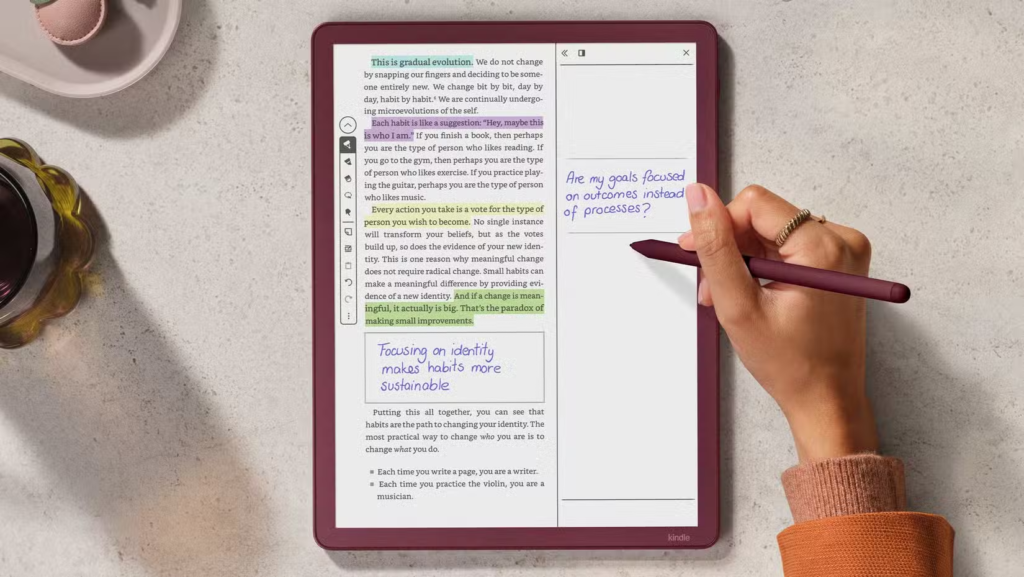
When you write on a book page, a sticky note-like square appears that moves the text around it, turning handwritten notes into sticky notes that move with the text. This revolutionary system makes annotating e-books feel natural and organized.
Cloud Integration
Sync with Google Drive and Microsoft OneDrive to access PDFs for marking up, and export annotated versions. All notes are securely encrypted and backed up automatically, so you’ll never lose your work.
Premium Pen Experience
Writing with the included Premium Pen stylus feels delightfully similar to using pen and paper, with a textured display that provides friction—unlike sliding on glass with an iPad.
The pen includes:
- Tilt-to-shade functionality for shading and gradients
- Programmable action button for quick tool switching
- No charging required
- Stronger magnetic attachment to prevent loss
ORDER YOUR KINDLE SCRIBE COLORSOFT NOW →
Pricing & Storage Options
The Kindle Scribe Colorsoft is available in two storage configurations:
- 32GB Model: amazon page
- 64GB Model: amazon page
Note: Actual usable storage is around 21GB on the 32GB model due to system files, color rendering layers, and fonts.
Compare to Other Scribes:
- Kindle Scribe (black & white with front light): Starting at see it in amazon
- Kindle Scribe (black & white without front light): see it in amazon
What’s Included:
✓ Kindle Scribe Colorsoft tablet ✓ Premium Pen Pro with tilt support ✓ USB-C charging cable
Real-World Performance
Battery Life
Battery life is so good that users report going a whole week without even thinking about charging. However, the color display does consume more power than monochrome models—expect charging every few weeks with heavy use versus months with the standard Scribe.
Writing Experience
Colors are more vivid and distinct compared to competitors like the reMarkable Paper Pro, looking more like a glossy graphic novel versus a faded newspaper comic strip.
The rendering engine ensures writing in color is fast and fluid with no lag—color fills itself in instantly, unlike the reMarkable tablet where color runs across the page with a slight delay.
Reading Experience
The 11-inch e-paper display makes reading documents and comic books easier than on any other Kindle, with bright, vibrant colors. The glare-free screen works beautifully in direct sunlight and features adjustable warm lighting for nighttime reading.
START READING IN COLOR TODAY →
Limitations to Consider
While the Kindle Scribe Colorsoft is impressive, it’s not perfect:
- Price Premium: At price , it’s Amazon’s most expensive Kindle and costs $200+ more than the standard Scribe
- No System-Wide Dark Mode: This feature won’t arrive until 2026 via software update
- Thinner Bezels: Without the side bezel from previous models, it’s harder to hold one-handed without accidentally turning pages
- E-book Annotation Limits: You can’t write directly on e-book text—only in margins or using Active Canvas boxes
- Not Waterproof: Unlike the Kindle Paperwhite, the Scribe Colorsoft lacks water resistance
How It Compares to Competitors
| Feature | reMarkable Pro | Kindle Scribe Colorsoft | Boox Air4 C | Supernote Manta |
| Price | Check Today’s Price | Check Today’s Price | Check Today’s Price | Check Today’s Price |
| Color Display | ✓ | ✓ | ✓ | ✗ |
| Front Light | ✓ | ✓ | ✓ | ✗ |
| Android Apps | ✗ | ✗ | ✓ | ✗ |
| Subscription | $2.99/mo | Kindle Unlimited, may include 3-month | None | None |
| Writing Feel | 9/10 | 8/10 | 8/10 | 9/10 |
| Battery Life | 2 weeks | 7 weeks | 1.5 weeks | 4 weeks |
vs. reMarkable Paper Pro (Price+ pen)
The reMarkable Paper Pro offers a more paper-like texture that some prefer for writing, but the Kindle’s nitride LED front light is significantly brighter and more uniform, making it better for planning in low light. The Kindle also offers exponentially longer battery life and access to the world’s largest e-book store.*
Read More About reMarkable Paper Pro here
Winner for most users: Kindle Scribe Colorsoft (better value, better backlight, longer battery, integrated bookstore)
remarkable paper pro on amazon
vs. Original Kindle Scribe (2024)
The original Scribe often goes on sale for under $340, making it a budget-friendly option. However, the Colorsoft offers:
- 40% faster performance
- Color display for organization and comics
- Upgraded Premium Pen Pro with tilt functionality
- Improved front light system
- Larger 11-inch display
COMPARE KINDLE SCRIBE MODELS →
Is the Kindle Scribe Colorsoft Worth price?
YES, if you:
- Use digital planners and need color-coded organization
- Read comics, manga, or graphic novels regularly
- Annotate PDFs extensively for work or study
- Want the absolute best Kindle experience with all features
- Value AI-powered productivity tools
NO, if you:
- Only read text-based novels (save money with the standard Scribe or Paperwhite)
- Can’t justify the premium price
- Prefer more affordable competitors like Kobo
The Kindle Scribe Colorsoft feels like the Cadillac of Kindles with its bright 11-inch display and premium stylus, though the high price makes it recommended mainly for devoted Kindle users.
Where to Buy & Current Deals
The Kindle Scribe Colorsoft is available from multiple retailers:
→ AMAZON (Official Store) – Best Price & Selection
→ BEST BUY – In-Store Pickup Available
Trade-In Program
Amazon offers up to $150 credit plus 20% off when you trade in an older Kindle device. This can significantly reduce the upgrade cost if you own a first-generation Scribe.
Color Options
- Graphite (black)
- Fig (purple)
Maximizing Your Kindle Scribe Colorsoft
Essential Accessories:
- Protective Case – The slim design needs protection link amazon
- Screen Protector – Keep that gorgeous display pristine link
- Extra Pen Tips – For heavy users link
Top Use Cases:
- Business Meetings: Take colorful notes and share them instantly to OneNote
- Study Sessions: Highlight textbooks in multiple colors, then filter by topic
- Creative Journaling: Sketch, doodle, and shade with 10 colors plus gradients
- Comic Reading: Enjoy your graphic novel collection in vivid color
- Project Planning: Organize tasks visually with color-coded priorities
GET STARTED WITH THE KINDLE SCRIBE COLORSOFT →
The Bottom Line
The Kindle Scribe Colorsoft represents a major leap forward for digital note-taking and reading. While the price(the price changing in amazon so go to page to see it ) link tag puts it firmly in premium territory, the combination of color display, AI tools, cloud integration, and Amazon’s massive e-book ecosystem makes it a compelling investment for power users.
The device’s greatest strength is the Active Canvas annotation system combined with color-coded highlighting that lets you filter notes by color later—a game-changer for students and professionals alike.
If you’re committed to going paperless, love reading comics and graphic novels, or need a serious digital planning tool, the Kindle Scribe Colorsoft delivers an experience you won’t find anywhere else.
Ready to transform your productivity?
→ ORDER THE KINDLE SCRIBE COLORSOFT NOW → COMPARE ALL KINDLE MODELS → SEE CURRENT AMAZON DEALS
Disclosure: This post contains affiliate links. We may earn a commission from qualifying purchases at no additional cost to you. Our recommendations are based on thorough research and genuine product testing.
Last Updated: January 2026 | Rating: 4.5/5 Stars